Overview
Within Shop Manager's New Analytics platform and Analytics Lab there is the ability to schedule email exports of whole dashboards or individual charts so reports are automatically delivered to you or your team's inbox on a regular schedule.
In this article we will explore how to schedule these dashboards and charts within Analytics Lab.
Table of Contents
- Scheduling an Export of a Dashboard
- Scheduling an Export of a Chart
- Where to Find Existing Scheduled Exports
Scheduling an Export of a Dashboard
Within Analytics Lab:
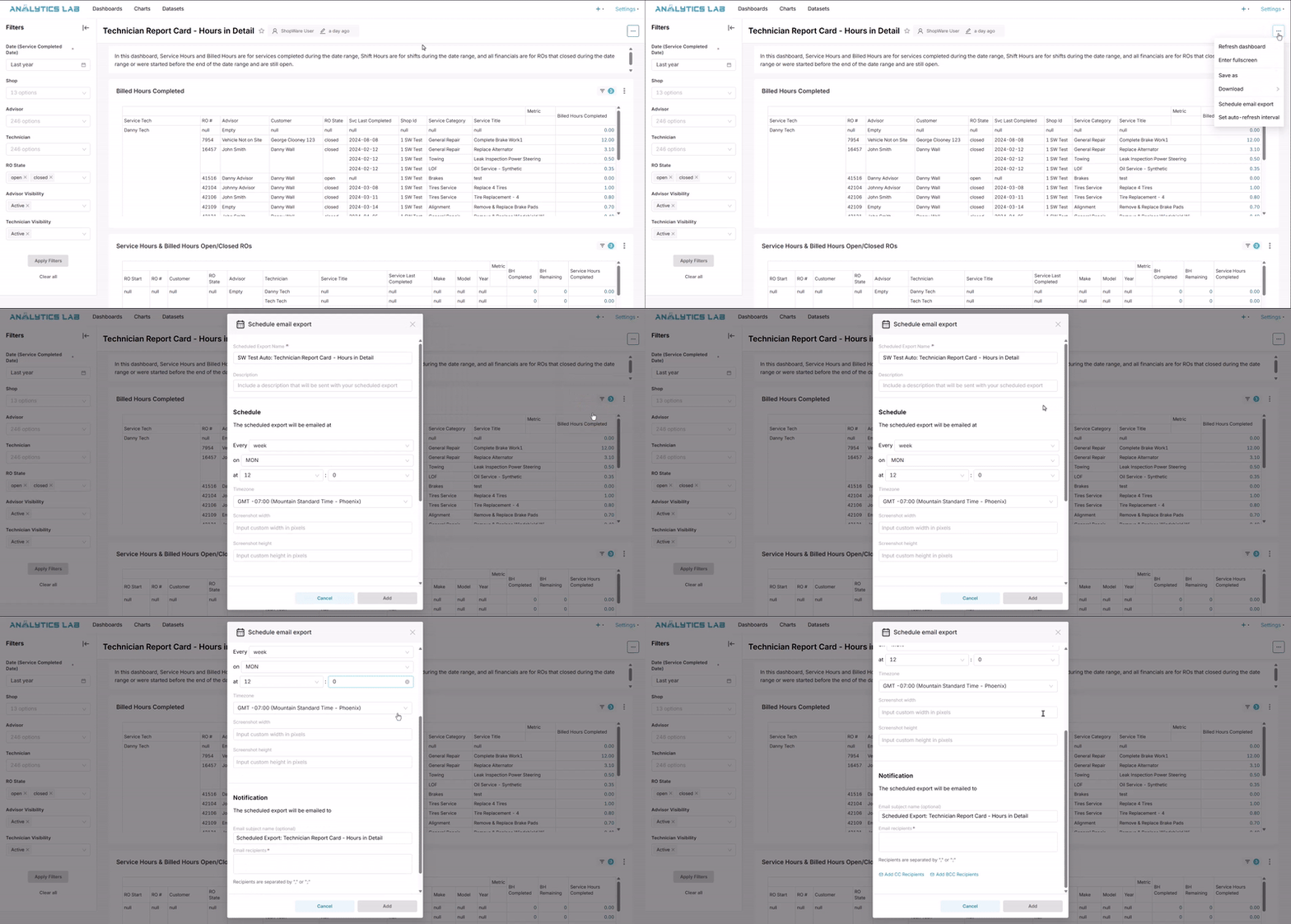
Any dashboard within Analytics Lab can be scheduled as an email export. First, locate your desired dashboard within Analytics Lab then make any filters or modifications as needed. When ready, there are three dots in the upper right of the page that you can select and then choose to Schedule Email Export.
A popup modal will appear for you to fill out the name of the export, a description, set the schedule, and choose recipients.
Please Note: The name of the export must be unique across all of the Analytics Lab, so the name is automatically pre-fixed with the tenant name, but if you want multiple emails exports for the same dashboard, the name will need to be adjusted to be unique.
Also Note: Dashboards cannot be scheduled to be exported as CSVs. If a CSV file is needed, please schedule to export a chart (table) instead.
Within Shop-Ware New Analytics:
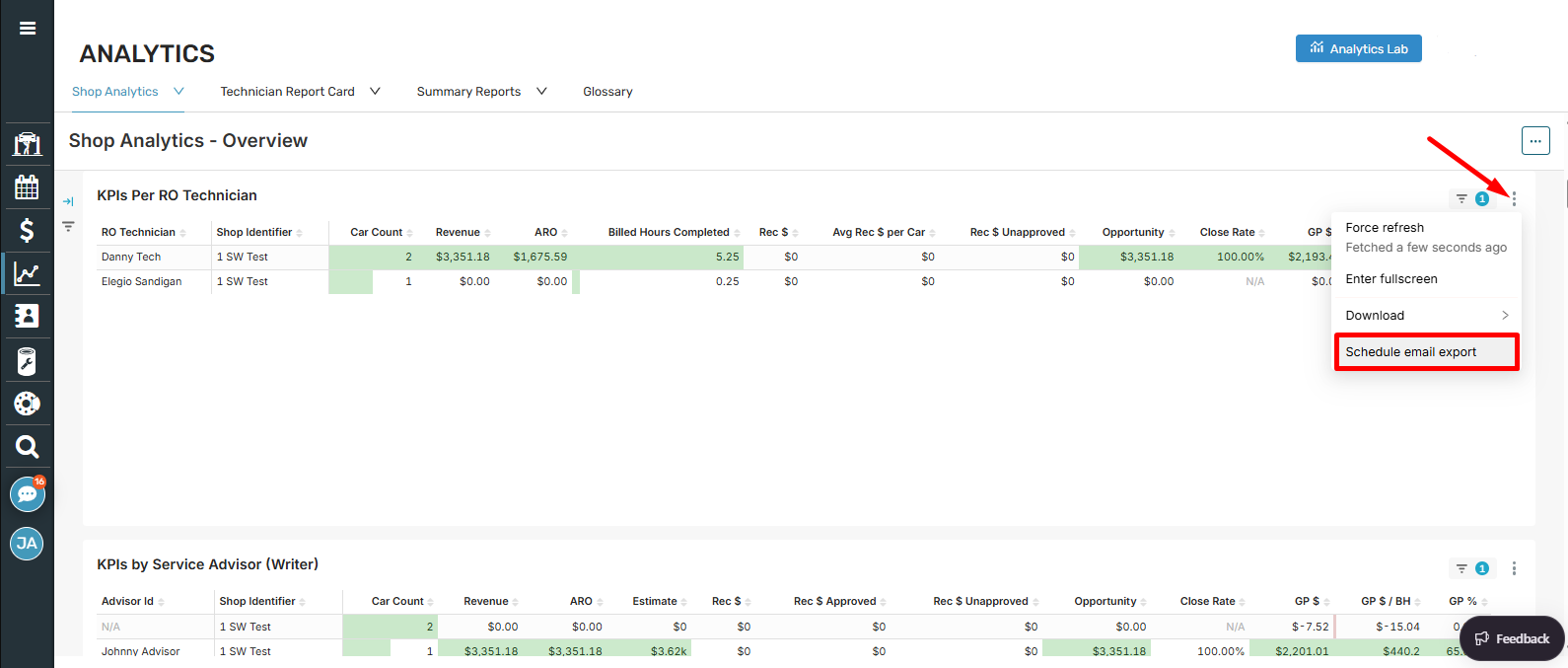
Similar to scheduling exports of dashboard in Analytics Lab, you can navigate to the new Analytics page in Shop Manager, find the dashboard you're wanting to schedule, and click the three dots in the upper right of the dashboard and choose to 'Schedule Email Export.'
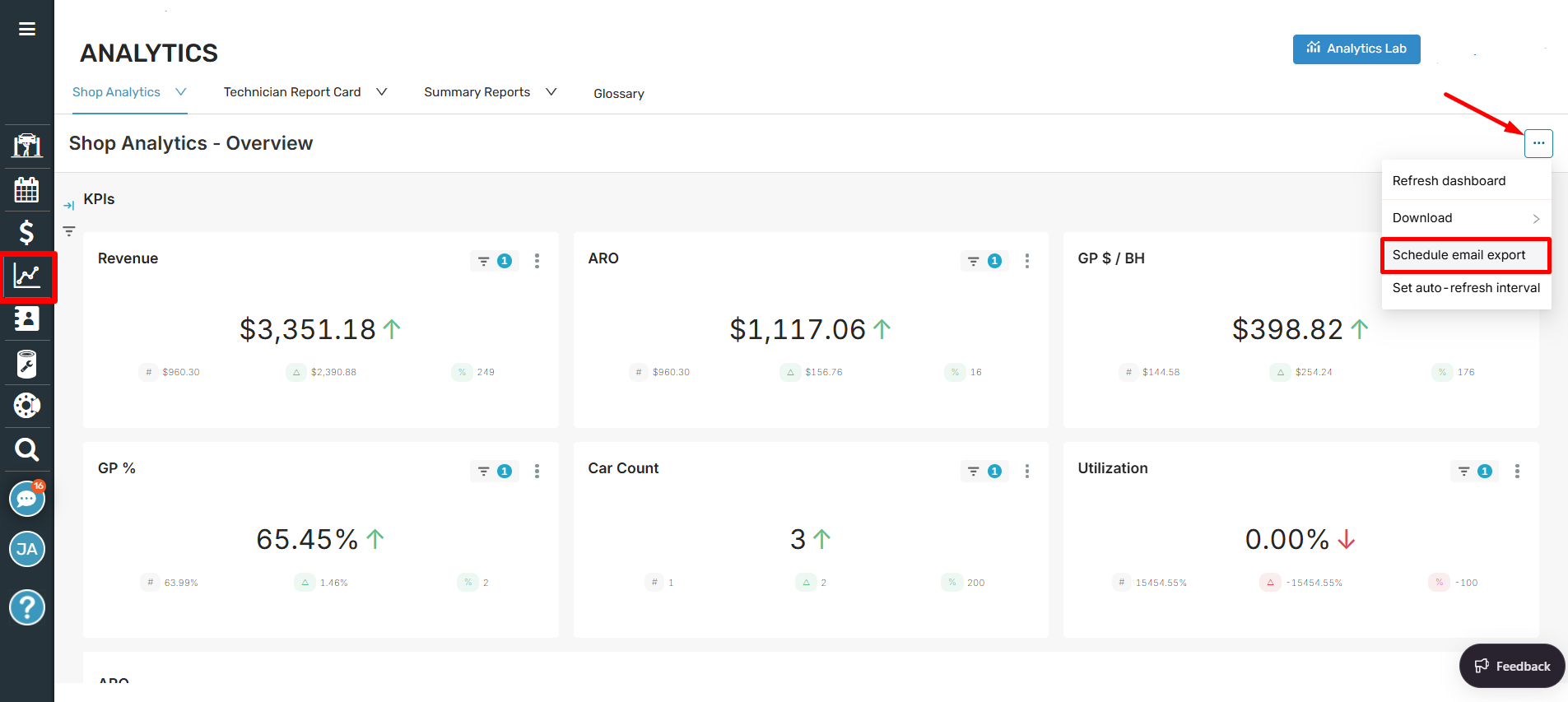
A schedule email export modal will appear, allowing you to name the export, enter a description, set the schedule, and enter the recipients.
Scheduling an Export of a Chart
Within Analytics Lab:
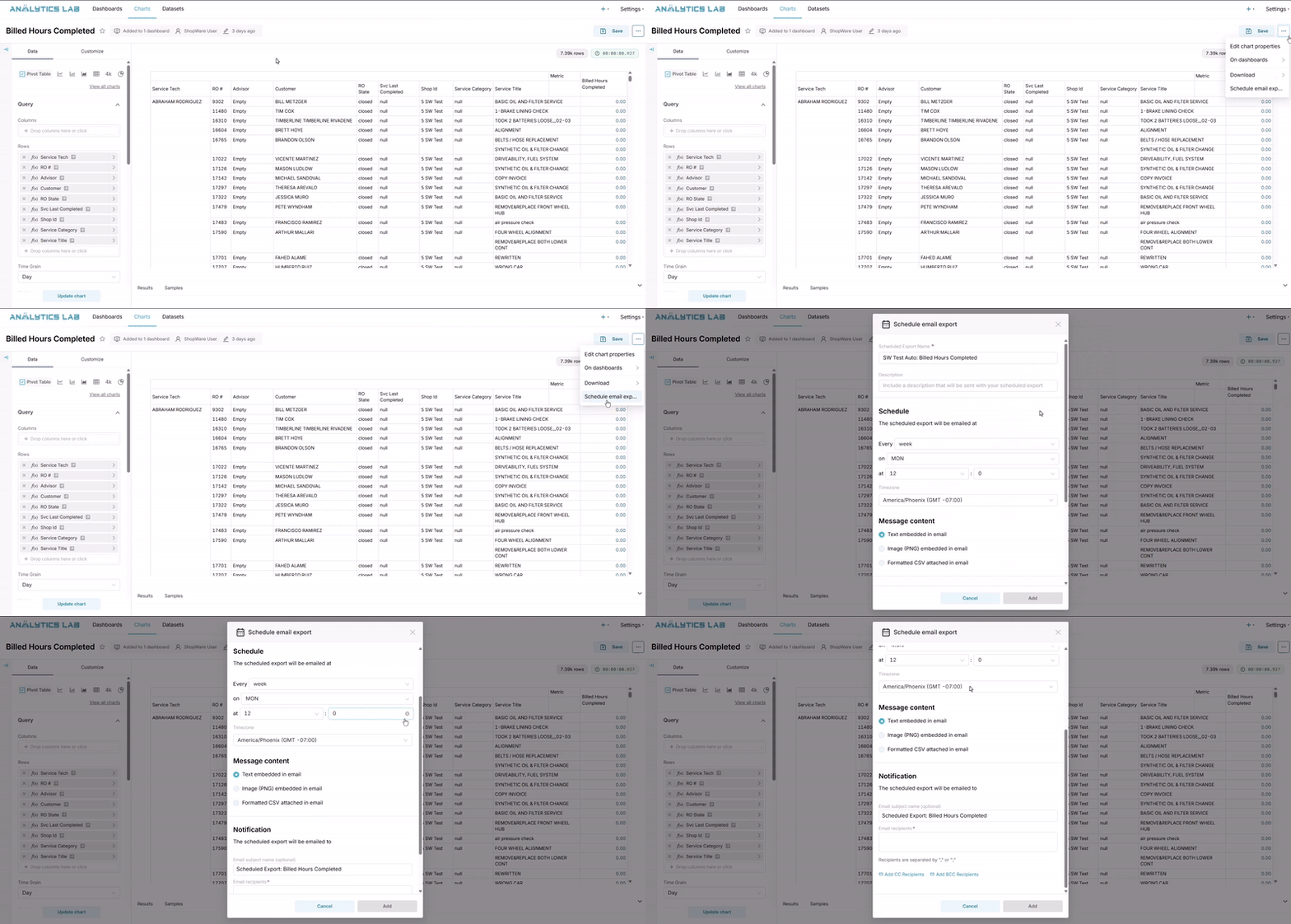
Similar to scheduling a dashboard, any chart in Analytics Lab is able to be scheduled as well. Begin by opening up the desired chart and making any filters or modifications to it. Then in the upper right, click the three dots and select to Schedule Email Export.
A popup modal will appear where you can fill out the name, description, set the schedule, choose the type of format, and select recipients.
Within Shop-Ware New Analytics:
Similar to scheduling exports of charts in Analytics Lab, you can navigate to the new Analytics page in Shop Manager, find the dashboard with the chart you're wanting to schedule, and click the three dots in the upper right of the chart and choose to 'Schedule Email Export.'
Where to Find Existing Scheduled Exports
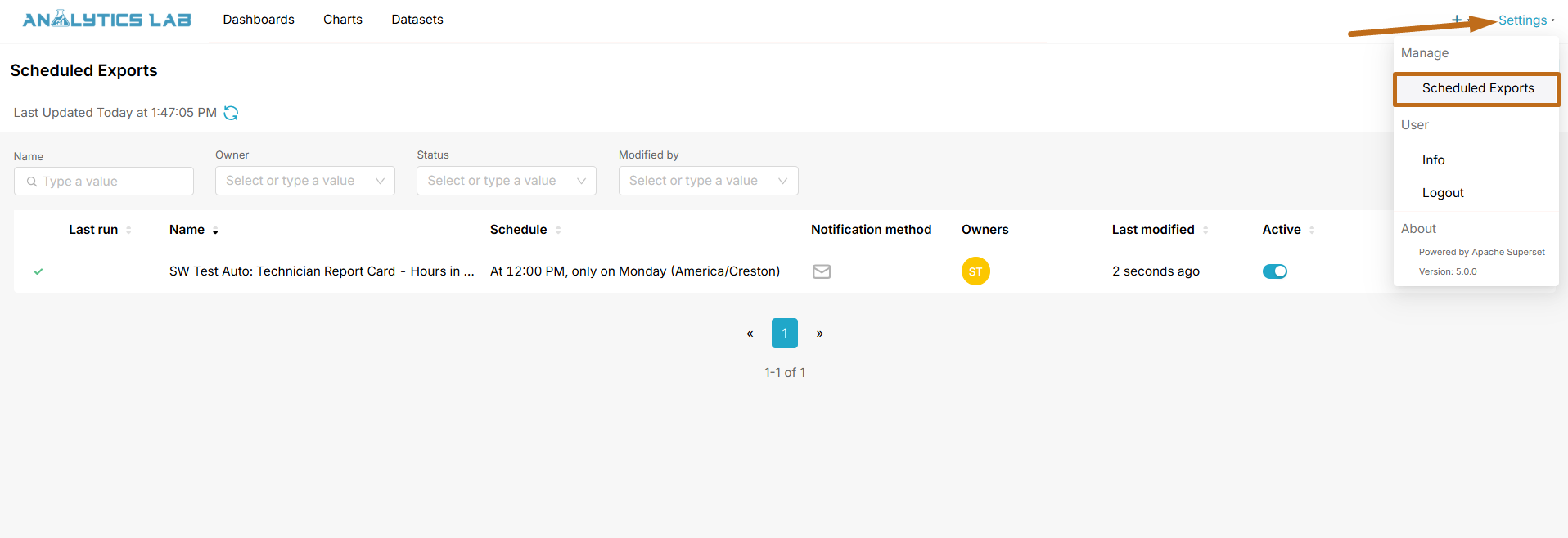
Once the scheduled email export is saved, you'll be able to see it and manage it under the Settings option in the upper right of Analytics Lab.